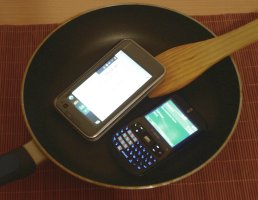
The waiting is finally over. There is now support for phone-tethering via the PAN Bluetooth profile, which is so popular on Windows Mobile smartphones.
By "native" I mean that it's quite well built into the system and does not appear as a separate application. And you no longer need a command line or root access for making PAN connections.
After you have installed the maemo-pan add-on (sorry, only OS 2008 supported so far), you can get online with just a few simple steps:
- Go to the system preferences and add your phone in the phone settings. Do not enter the wizard for configuring the dialup settings. PAN does not use them.
- Start internet sharing on your phone. It depends on your phone how and where to do this. On Windows Mobile 5, open the Start menu and select "internet connection sharing" from there.
- Make sure that Bluetooth is enabled on your internet tablet. Now open the connection dialog and you will see that there is a new connection called "Bluetooth-PAN". Select it and you will be connected to the internet via PAN.
- When you're finished, just close the connection the usual way. Wasn't this easy? :)
Thanks go to aleksandyr for figuring out stuff and to Frantisek Dufka for writing the initial PAN connection shell script for OS 2008. Without you guys maemo-pan wouldn't have happened!

12 comments:
Doesn't the name violate the maemo trademark policy?
http://maemo.org/intro/trademarks/
Having said that, I'm surprised the garage project was authorised given the above...
andrew, so what if it does violate somebody's trademark policy? You don't sound like you're Nokia's legal representative, so... are you just trying to be helpful by suggesting that pycage should take this (awesomely useful) package offline until he comes up with another name? If not that, what are you saying? Btw, Garage projects don't need to be "authorized" afaik.
Pycage, many thanks for releasing this, and thanks also for making me LOL with attached the picture!
Actually there are many projcts using the prefix "maemo-". maemo-mapper is a popular example. maemo-mapper exists for about 2 years now and did not have any problems with trademark violation. So I guess it's safe for non-commercial opensource projects.
garage projects need to be authorized by the garage staff. The project name did not make any problem.
@finite: I don't see why pointing out a potential problem that Martin might have with Nokia is a bad thing; yes I was trying to be helpful. No, I'm not suggesting he take it offline.
Garage projects do have to be authorised, just like Sourceforge projects or code.google.com projects.
@Martin: the trademark policy was announced less than a year ago, and exemptions were given for any projects already using the name - such as maemo-mapper. New ventures such as maemoapps.com had to rename to nitapps.com as they fell under the policy.
Of course, it could be that since you contacted the maemo team through the garage registration page and they approved the project, you've got tacit (I'm assuming not explicit) approval.
Just something to be aware of in case you get any emails out of the blue...
@Andrews: thanks for clarifying this. Now it all makes more sense.
Anyway, Nokians are reading planet.maemo.org and nobody from Nokia suggested renaming the project so far.
After updating to diablo, I am having trouble getting this fantastic program to work again. anyone else tried this under Diablo?
@ Ron,
the same here. I upgraded to Diablo and love it to bits but the only two applications that actively I use on my n800, maemo-pan being one of them, do not work. If anyone has figured out how to run maemo-pan on diablo please shoot me an email at atmozphere at hotmail.com
Dear Martin, thank you so much for producing Maemo-pan, it has proved useful for sharing under windows mobile phones. I am in a little bit of a quandary and am in desperate need of assistance. I would be very thankful indeed if you could spare a few words of advice:
I need to set up PAN for Windows XP SP2 so I can VNC to the tablet and use Homebank, a program I use very often, as well as being able to SSH to the tablet - As it is a corporate lan-wired setup, 802.11 is not an option ( I do have it set up this way at home with Ubuntu Intrepid Ibex, which works great). I read on a bug at maemo that you'd do some work on getting PAN generalized, not only for phones but computers as well. I've googled endlessly to no avail and am in desperate need. If you could please point me in the right direction, or provide me with some insight as to how to make it work, i've tried any and all methods (changing the BTADDR, name, everything). I keep hitting a brick wall. Thank you once again Martin.
Amaury
Hallo, wo kann man den mal hilfe bekommen, bei mir klappt es nicht so ganz.
Unter Verbindungen sehe ich die Bluetooth-PAN verbindung, will sich eine Internet Verbindung aufbauen und ich muß die Verbindung auswählen ist sie nicht mit dabei?
Schöne Grüße
Thomas
This does not work with Mac bluetooth pan ... I have tried to share my connection with the wifi and I get a bad connection every time ... I was hoping this would work but it just dont. Any Idea as whats missing ?? I thought Leopard's bluetooth pan was the same as any cell phones ???
After looking up for a bit, I got it working on diablo, it was just a mater of restarting the tablet, as I found here http://wiki.maemo.org/Bluetooth_PAN
Cool heart, and shot on the mercy Dragonica Gold of, Ling Po crazy way to EVE Isk kill, he began to love the taste of blood, like to see these cowardly FFXI GIL monsters in front of him like the poor, like the thrill of the muscles across the Bing Ren ... ...
He entered the 49th floor, the Lineage 2 Adena iron front of the room was familiar. The middle of the Last Chaos Gold room there is an old man sitting there, is close their eyes meditatively. It Knight Online Gold seemed that the advent of Ivy Ling Po do not know.
Ivy Ling Po stood there quietly, he Flyff Penya has felt the old man out of a strong body radiates a gas, he stared at the old man: "When I first arrived someone asked EQ2 Gold me to defeat the forty-nine-story monster, now left This last layer of the, no one thought was a powerful human masters, could I then, he 2Moons Dil takes a fight? "Ivy Ling Po Zi Cun," Although I experienced 48 times the fighting, but also learn many new moves can be With my present strength, but also far behind him, it appears was a World War II had.
"How do you no want to Cabal Alz know? For example,aion gold of, why you will enter Metin2 Yang into this devil's tower, for example, why you Perfect World gold would black light, such as ... ..."
Post a Comment